
Online services for employers
Our online services are an easy, fast, and secure way for you to complete transactions with us. Learn how you can log in or sign up with your desktop or mobile device to experience the benefits of doing business online.
Online services login changes
We’re making enhancements to our online services login to strengthen security and protect your information.Two-factor authentication (required)
With the implementation of mandatory two-factor authentication, shared accounts are no longer supported. Each person must create and use their own online services profile. If multiple people need access to the same account, an administrator can grant access to individual profiles. Learn more about two-factor authentication.Trusted partner login (optional)
You now have the option to sign in through your BC Services Card Account or Interac® verification services. This is optional; you can continue to use your current email and password to sign in.
- Log in or create an account
- Benefits of our online services
- How to set up your online services account
- Grant third-party access to your account
- Resources
Log in or create an account
Select the button below to log in or create an online services account. If you’re creating a new account, you can also review instructions on how to set up your online services.
Log in or create an accountBenefits of our online services
You can quickly and securely do business with us and access a wide range of tools and information using My Employer Services. You can log in to:
- Report payroll: Report your payroll, and print or save a confirmation of your transaction.
- Pay by credit card or direct debit: Print and save transaction confirmations, view your transaction history, schedule automatic payments for Personal Coverage, and save your preferred payment method.
- View rate information: See the base premium rate for your classification unit(s), your experience rating adjustment, and any claims used in your experience rating calculation. You can also see your preliminary annual rate notice sooner, before the final rates are released.
- Receive immediate clearance: See your clearance status on a personalized dashboard — usually immediately after reporting and making a payment.
- Update your information: You can update your email address, mailing address, and other account details like a change in ownership or a change to your CRA business number.
- Access health and safety data: Use our Employer Health and Safety Planning Tool Kit to learn about injuries and claims, compare your performance to peers, identify trends, and plan health and safety initiatives for your workplace.
- View your employer claim cost report: View details about claims, analyze claim costs, download claim data, and view and print claim cost summary reports.
How to set up your online services account
You must be registered for WorkSafeBC insurance coverage to access your account online and use our employer online services. Learn more about how to apply for coverage.
If you’re registered for WorkSafeBC coverage, you can create your online services profile and link to My Employer Services today. For information on how to get started, see Set up your online services account.
Log in or create an accountFor technical issues related to setting up your profile, please contact our technical support team.
Grant third-party access to your account
If a service provider, like an accountant or bookkeeper, manages your WorkSafeBC insurance account you can grant them access to report payroll and pay premiums on your behalf. Simply follow the steps to grant account access to another user found under "Manage your online services account" on Set up your online services account.
Resources
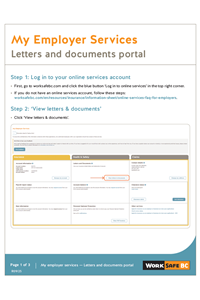
My Employer Services: Letters and documents portal
Instructions for employers to access to their online letters and documents in My Employer Services.
Title
Related links
Highlights
- Online services help Radar Hill save time and streamline processes Published on: September 20, 2022